AI
Backgrounds
Designing AI-generated backgrounds from 0→1, with a prompt composer that made generative AI feel approachable.
- Company
- Zoom
- Role
- Lead Product Designer
- Focus
- AI product design
6-8 weeks
from first idea to release, with a team of 3 representing design, product and engineering.
The insight
Most-used setting hadn’t changed since launch.
Zoom had just gone AI-first, and backgrounds, one of our most-used features, were the obvious place to start. People still wanted meeting experiences with privacy and professionalism.
The gap
Custom backgrounds hiding in plain sight.
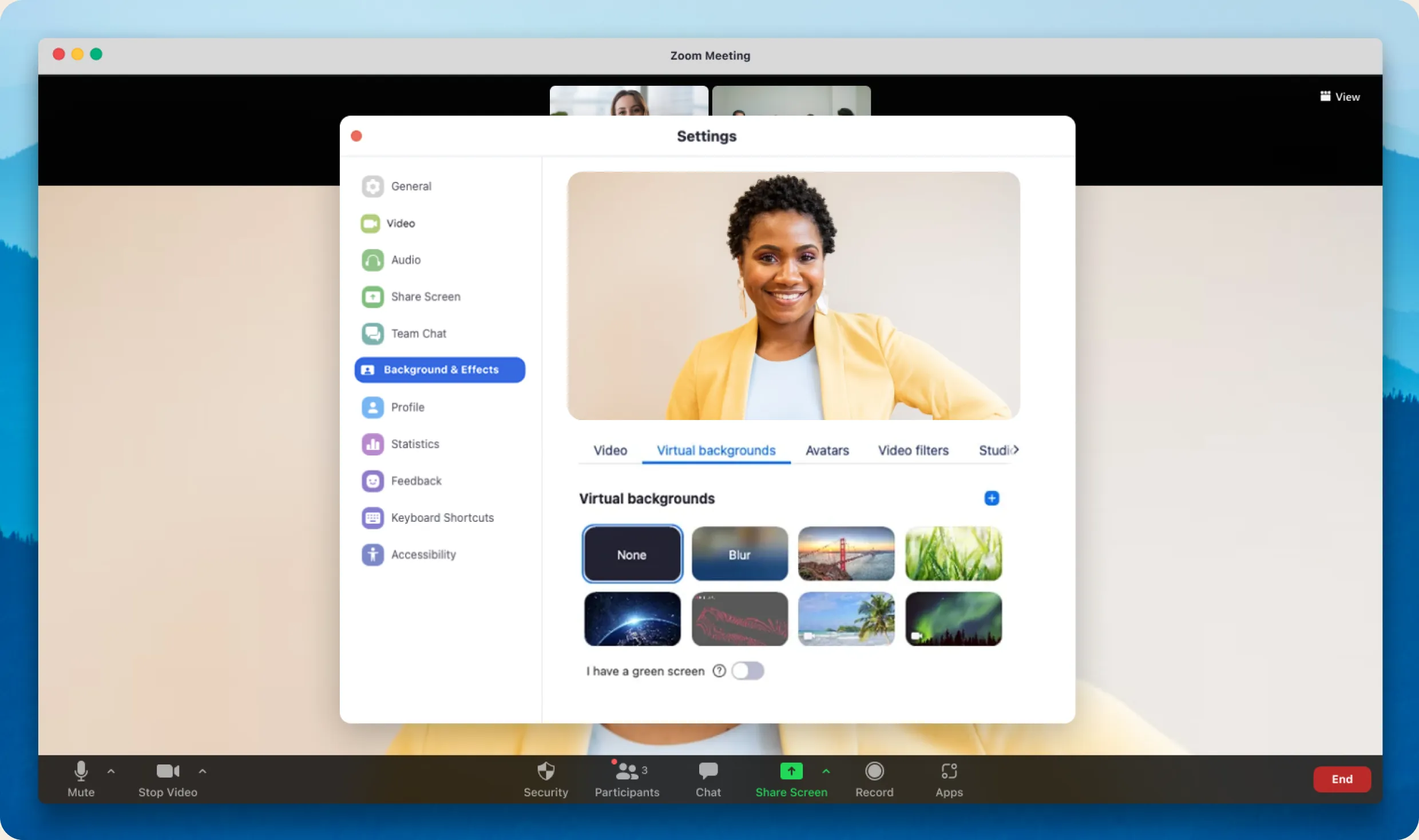
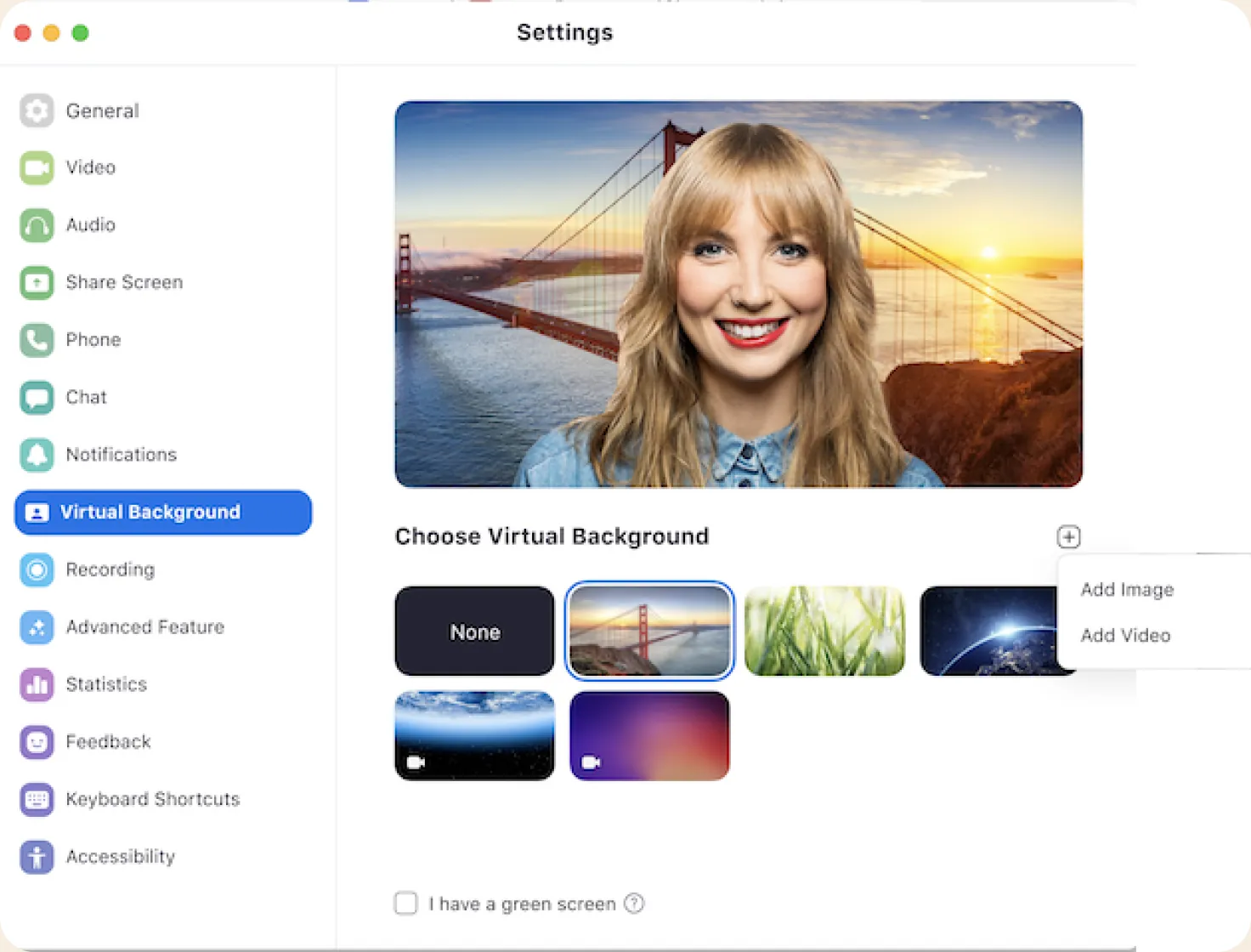
Most people never found the option to add their own. It was hidden behind a small plus icon and still left you to find and size an image yourself.
Discovery
Moving fast, but not blind.
Speed meant keeping research light, so I paired it with early ideation alongside engineering. Every idea started from what we could build.
Competitive scan
Who set the bar for AI images
- DALL-EText-to-image AI. Set the benchmark for prompt-driven generation.
- MidjourneyHigh quality and style-forward, with a strong community and defaults.
- Canva AIAccessible and integrated. Backgrounds inside an existing workflow.
Customer voice
A light touch, on purpose
- → Unmoderated survey: directional, not conclusive
- → Early signal to catch AI trust concerns before beta
- → Advisory panel for qualitative depth
First pass
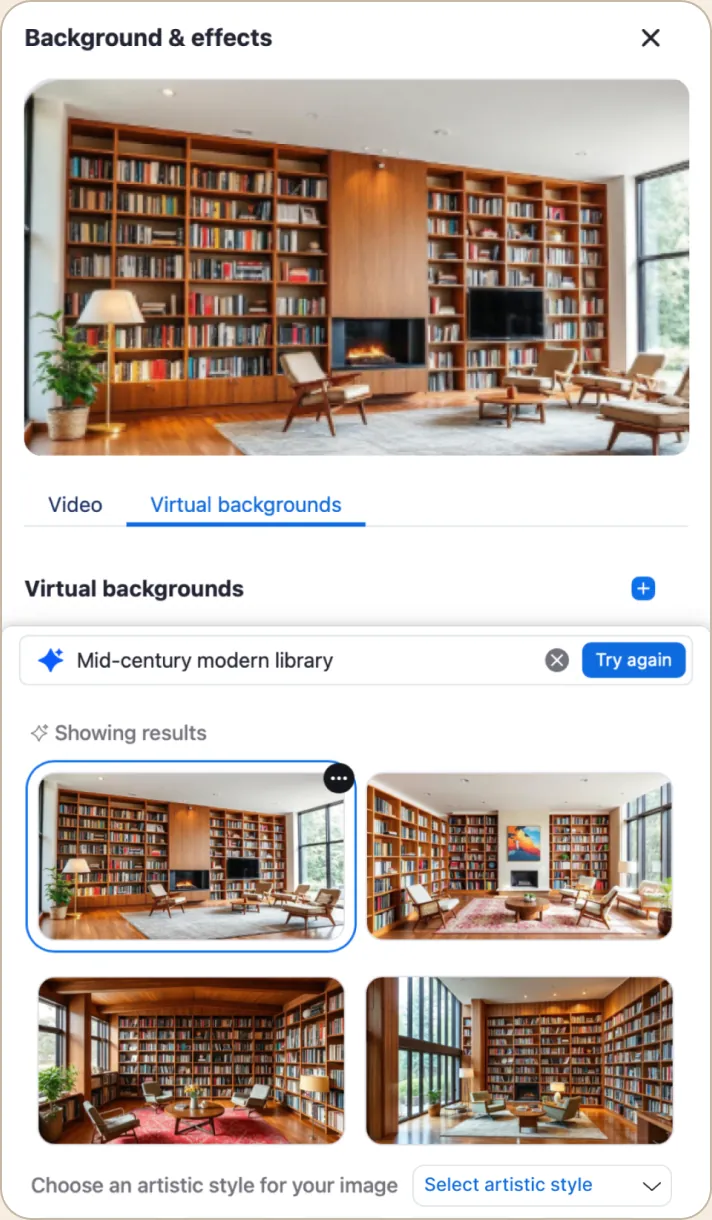
Teaching people how to prompt.
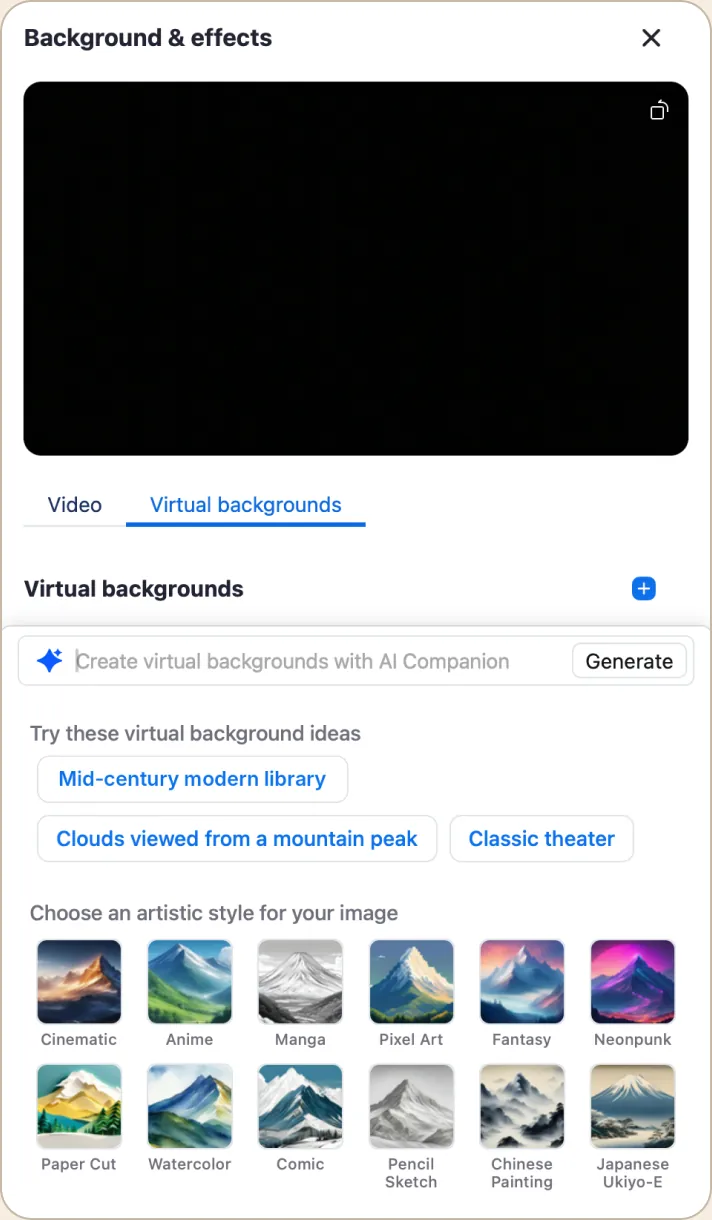
Scrolling example prompts showed what to ask for. Four images came back, with art styles tucked away.
Pivots
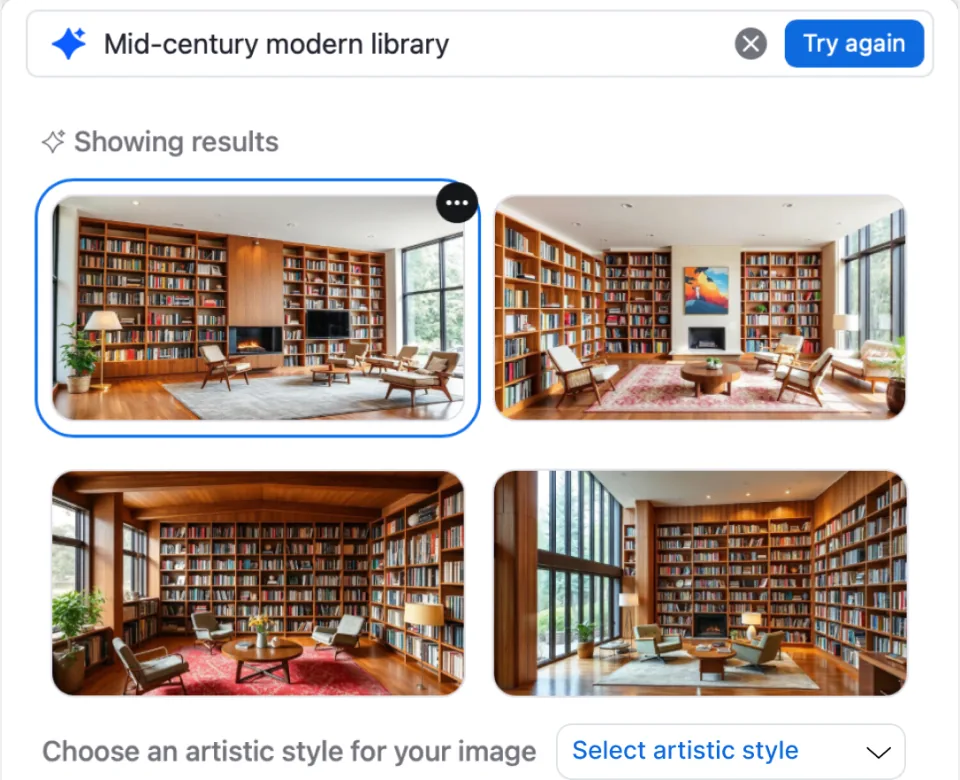
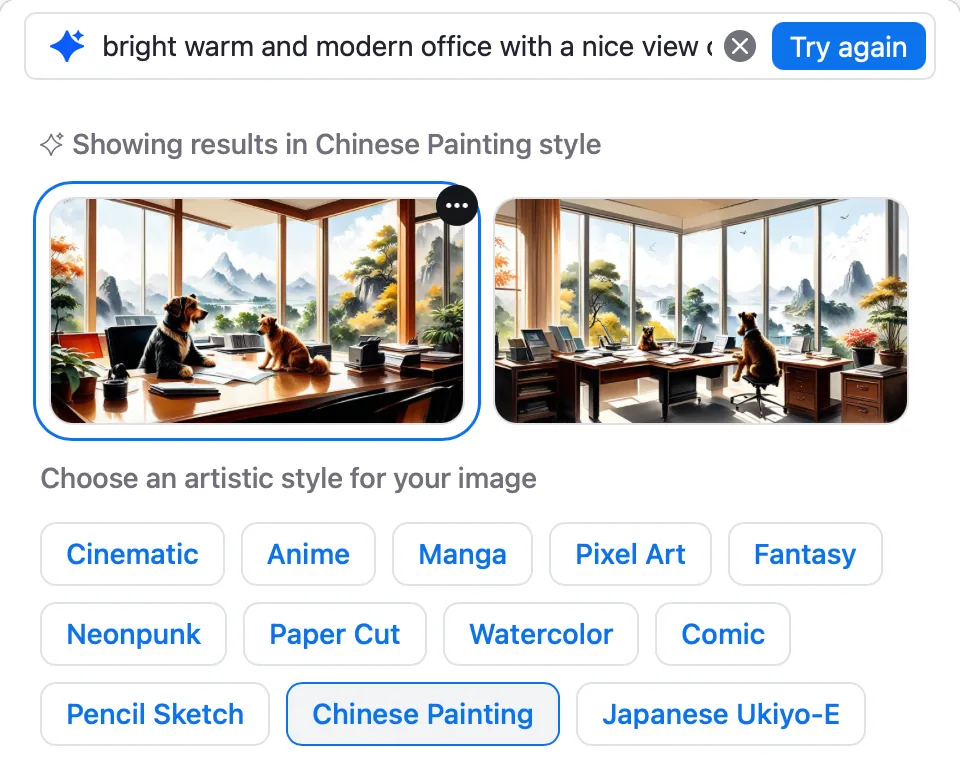
Real limits made it simpler.
- Four images became two: faster and cheaper
- Free typing gained prompt buttons, refreshed every few months
- A flexible drawer became a fixed one, to fit the tech stack
Final design
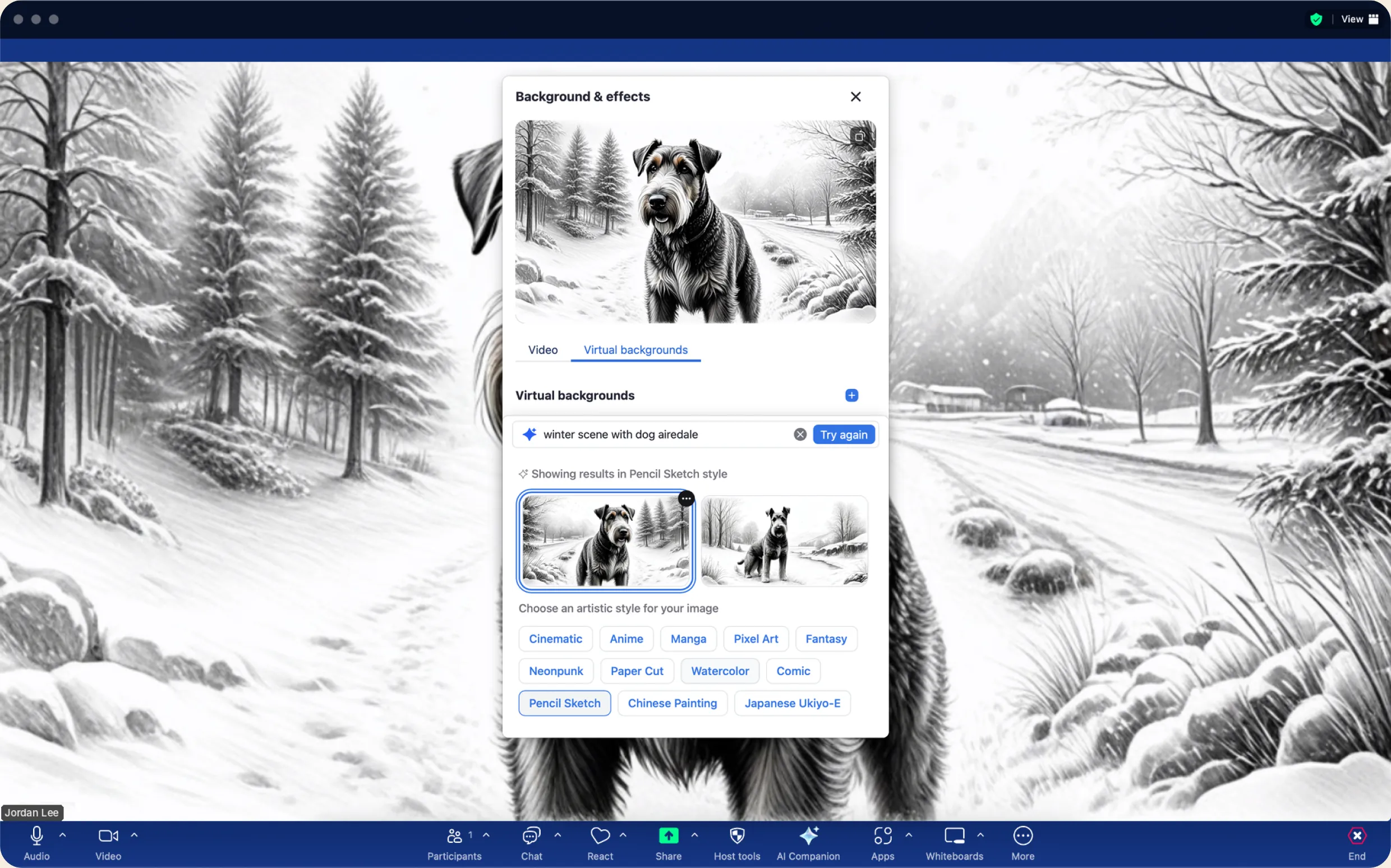
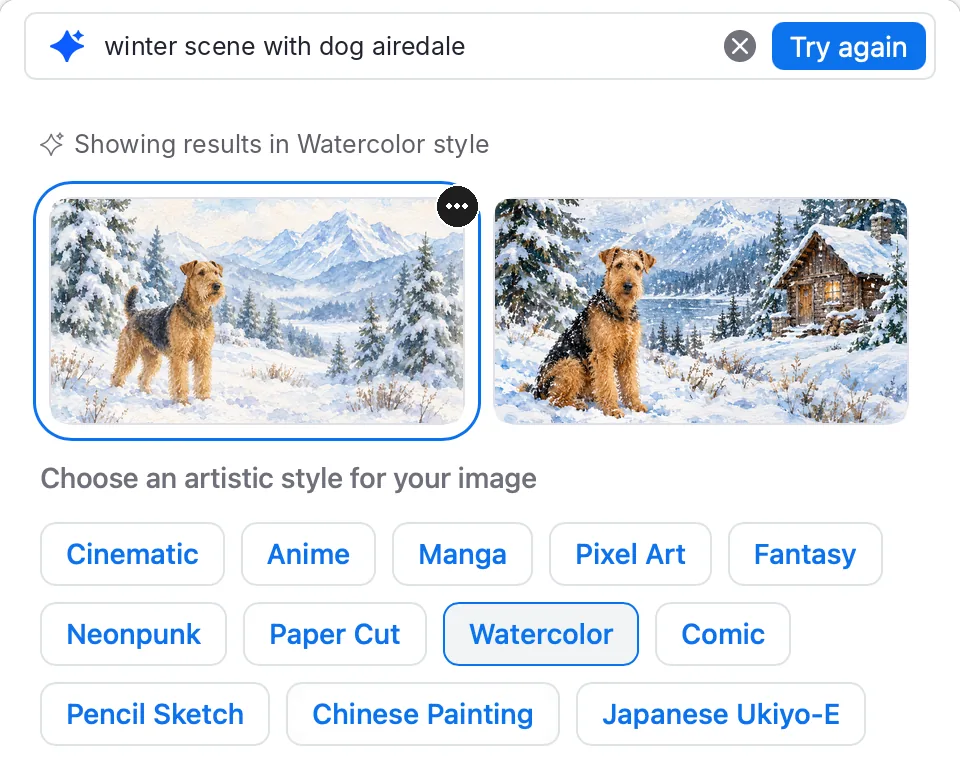
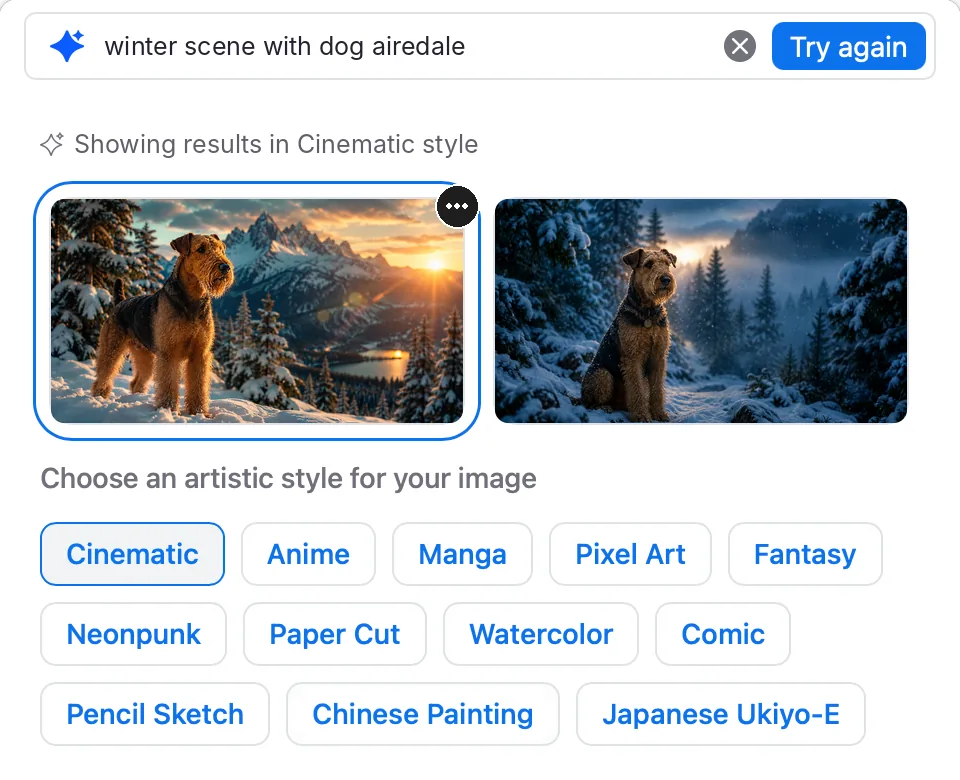
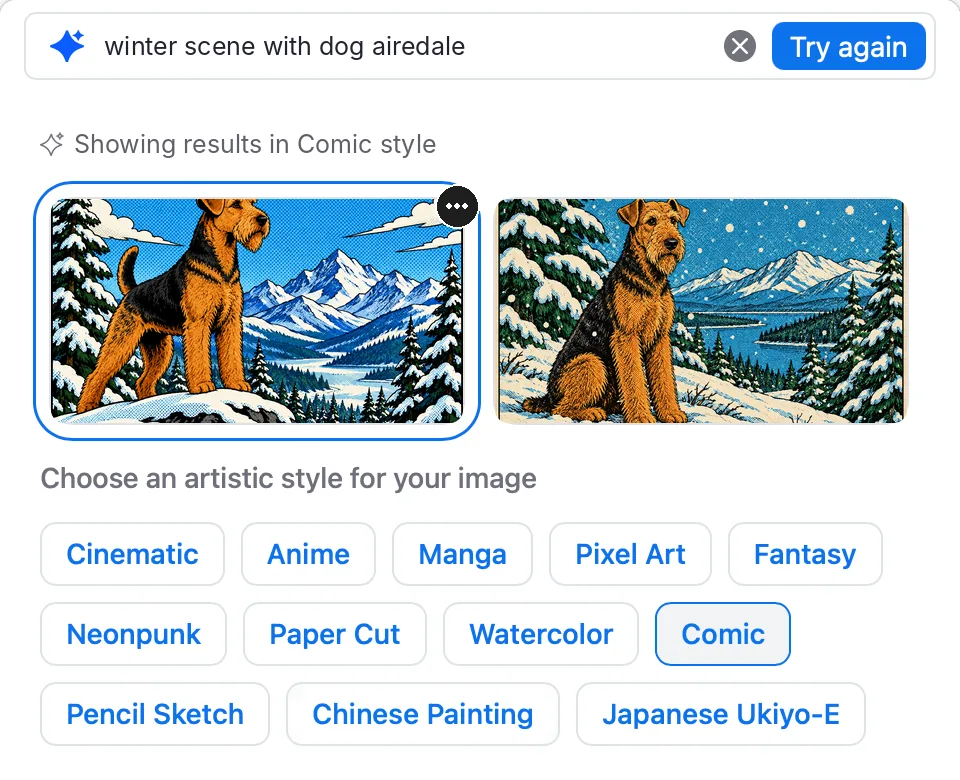
One prompt, endless looks.
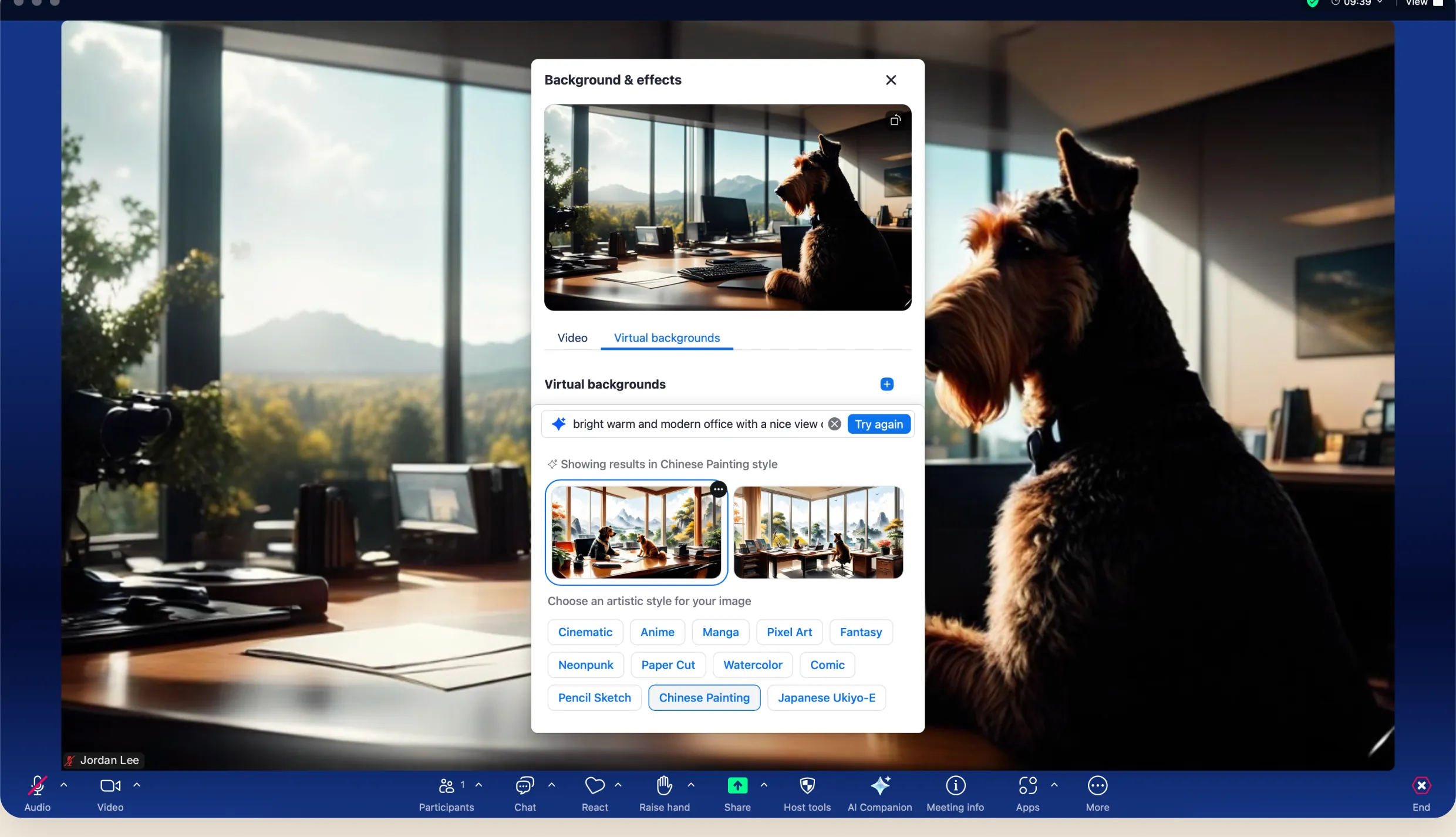
Type an idea or tap a suggestion, restyle it in a click, and it drops straight into the meeting.
Mobile
Familiar on mobile, lighter by design.
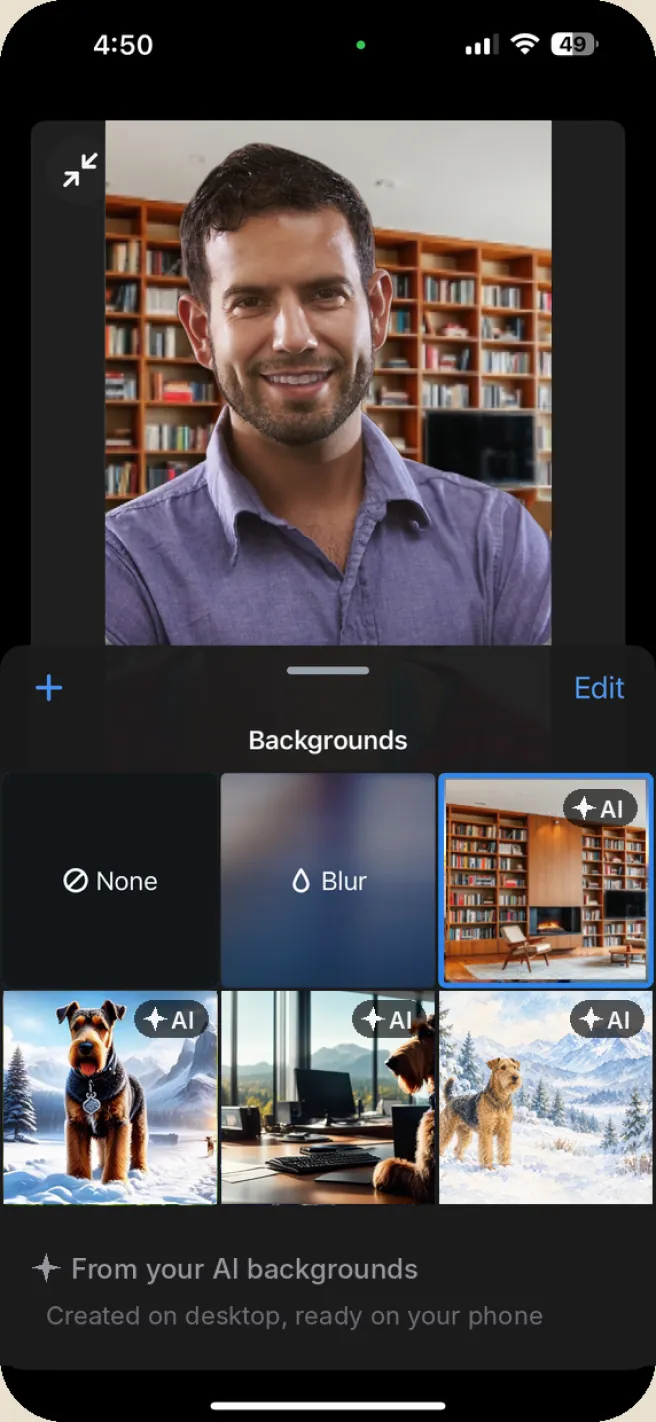
At launch, mobile kept the backgrounds sheet people already knew and simply pulled in the AI backgrounds they’d made on desktop. No prompt bar on a small screen. Next, I’d let people say it instead of type it, then fix anything misheard before generating.
Shipped
Pick from your AI backgrounds
Made on desktop, ready on your phone.
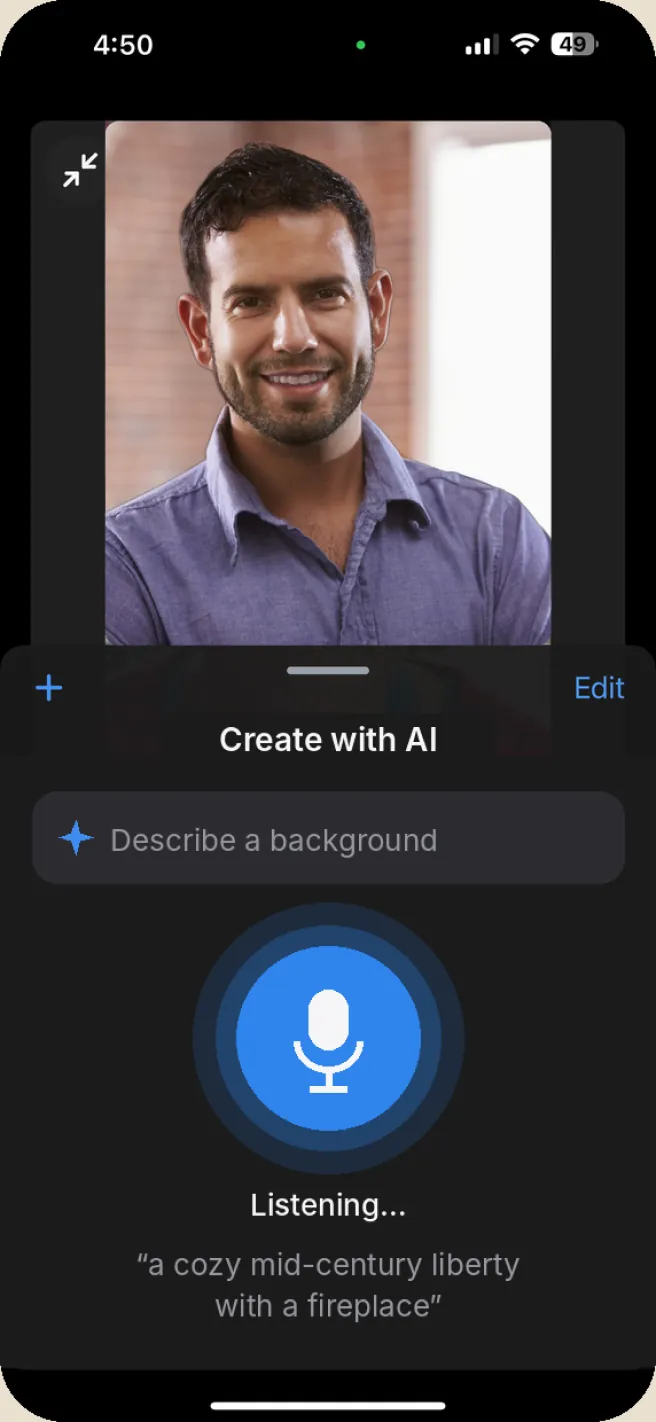
Concept
Say it
Dictate a prompt instead of typing on a small keyboard.
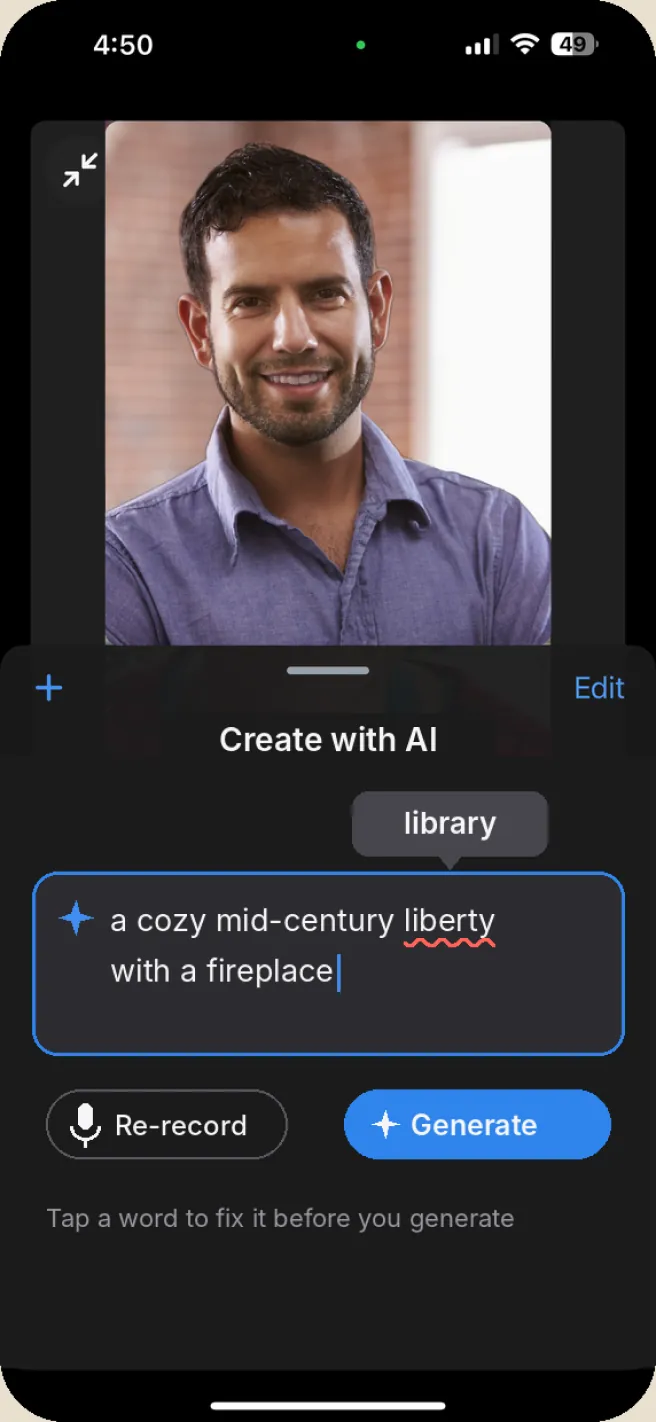
Concept
Fix it, then generate
See the transcript and tap any misheard word to correct it.
What I took away
Ship fast, but plan how you’ll measure.
I’d have loved to know how many people typed versus tapped, and which styles they tried.